How Can CNC Shops Avoid Poor Tool Selection and Bad Speeds and Feeds?

November 18, 2025 07:39 AM - By Trustbridge Manufacturing Team

Reducing CNC Machine Programming Errors: Toolpaths, Workholding, and Material Behavior Considerations

CNC Machine Programming is at the heart of modern manufacturing.  Despite the technological sophistication of modern CNC mills and lathes, they are not infallible. Even a small programming error can result in tool crashes, scrap parts, missed tolerances, and costly downtime. For suppliers and CNC shops, understanding the most common CNC machine programming mistakes and knowing how to prevent them is essential for producing consistent, high-quality machined parts and staying competitive.

This guide breaks down the most frequent errors seen in CNC Machine Programming and provides practical strategies to help you avoid them.

Frequent CNC Machine and Programming Errors and Practical Ways to Avoid Them

Common CNC Programming Errors and How to Prevent Them

Common CNC Programming Errors

1. Incorrect Work Offsets and Tool Offsets

One of the most common mistakes in CNC Machine Programming is setting the wrong work coordinate system (such as G54 or G55) or entering incorrect tool length and radius offsets. These errors can cause tools to cut too deep, move off the intended path, or even crash into the part or fixture. To avoid these problems, it’s important to always verify the (WCS) and tool offsets before running a program, use probing systems or CNC tool presetters when available, and implement a pre-run checklist to confirm that all offsets match the CAM setup.


Example:

In a Practical Machinist forum thread, a machinist shared how a 5-axis crash occurred because of a work offset mistake.  After setting G54 and running several 3+2-axis operations without issue, they switched to a simultaneous 5-axis operation. But when G255 was called, the toolholder plunged into the part at a high feed rate, causing a collision. This incident highlights how even small misalignments in work offsets (like G54/G255) can lead to catastrophic crashes in complex multi-axis machining.


2. Insufficient Clearance or Improper Safety Heights

Poorly defined clearance planes or retract heights often lead to collisions with clamps, soft jaws, or other workholding components. A simple oversight in Z-height programming can damage tooling and ruin a part. The best way to prevent this is to set conservative safety heights when programming new jobs, use CAM simulation to detect potential collisions, and consider using machine probing cycles to confirm that the programmed heights are safe.


3. Wrong Tool Selection, Speeds, and Feeds

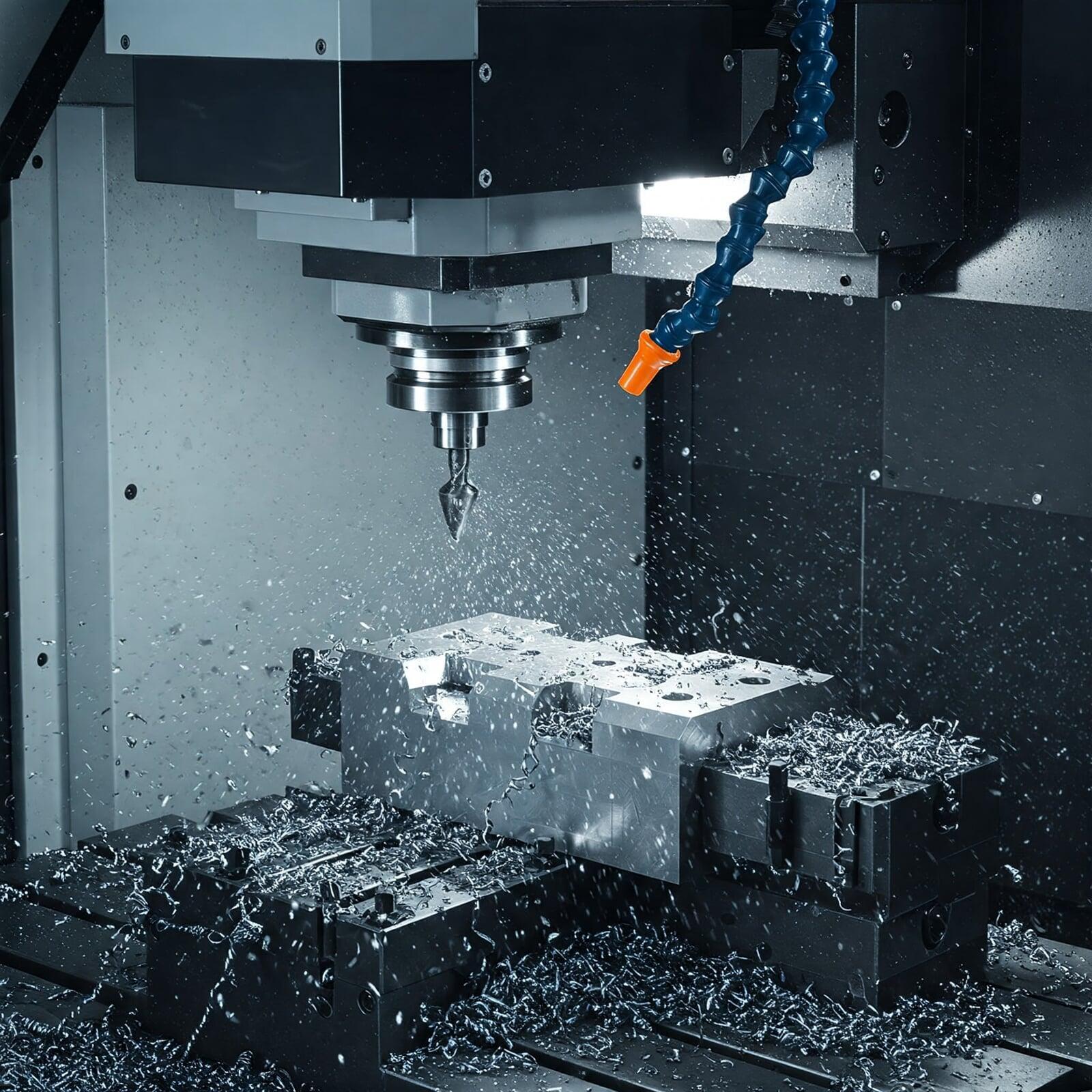
CNC Machine Programming requires careful selection of cutting tools and machining parameters. Using the wrong flute count, coating, or incorrect speeds and feeds often leads to chatter, premature tool wear, or poor surface finish. To reduce these risks, programmers should reference tooling manufacturer recommendations, maintain a standardized CNC tool library within the CAM system, and run test cuts when working with new materials or unfamiliar geometries.


4. Programming Toolpaths Without Proper Simulation

Skipping simulation is one of the riskiest shortcuts in CNC Machine Programming. Without simulation, programmers may miss tool gouges, unexpected toolholder collisions, or setup issues that lead to scrap or machine damage. The best practice is to always simulate toolpaths in CAM before posting code, use machine-level simulation for complex 4- or 5-axis work (e.g., Autodesk Fusion 360 Machine Simulation), and have a second programmer review the toolpaths for high-complexity parts.


5. Poor Fixturing and Workholding Planning

Many CNC Machine Programming issues only become visible during machining—not afterward. Without in-process inspection, defects may go unnoticed until the end of a run, wasting time and material. To prevent this, operators should use in-process gauging such as plug gauges, go/no-go gauges, and thread checks, perform mid-run measurements or CMM inspections for critical tolerances, and track tool wear so tools can be replaced at predefined intervals.

CNC Machine

6. Lack of In-Process Quality Checks

Many CNC Machine Programming issues only become visible during machining, not afterward. Without in-process inspection, defects may go unnoticed until the end of a run, wasting time and material. To prevent this, operators should use in-process gauging such as plug gauges, go/no-go gauges, and thread checks, perform mid-run measurements or CMM inspections for critical tolerances, and track tool wear so tools can be replaced at predefined intervals.


7. Inconsistent Maintenance Practices

Machine wear such as backlash, spindle runout, or misalignment can ruin parts even when the CNC program itself is perfect. Shops should stick to a preventive maintenance schedule for every machine, routinely inspect spindle health, leveling, lubrication, and calibration, and encourage operators to report any abnormal sounds, vibrations, or machine behavior.


8. Human Errors in Manual G-Code Editing

Manual editing is often necessary, but it introduces risk. A misplaced decimal, missing feed rate, or incorrect command can cause dangerous and costly crashes. To limit this risk, shops should avoid manual edits unless absolutely required, use code comparison tools to catch differences between revisions, and document all changes that occur outside the CAM workflow.

Trustbridge Tip:  Reducing CNC programming errors is essential, but long-term success also depends on how buyers perceive your shop. Certifications like AS9100 and ISO show that your processes are controlled, consistent, and audit-ready qualities that directly improve win rates and margins. To see how certification can strengthen your position as a preferred supplier, read our blog: Can AS9100 and ISO Certification Really Boost Supplier Profit Margins? 

9. Misunderstanding Material Behavior

Different materials behave differently under cutting forces, and failing to adjust speeds, feeds, or toolpath strategies according to material hardness or ductility is a major source of scrap. The most effective approach is to build an internal database of material properties and optimal parameters, use adaptive clearing or high-speed machining strategies for harder metals, and run small test passes when working with unfamiliar materials.


10. Missing Safety Commands and Program Structure

In CNC Machine Programming, safety lines and structured programs are critical. Forgetting coolant commands, tool changes, spindle direction, or safe start lines can put the machine and the part at risk. These issues can be avoided by creating a standardized program template that follows a consistent safe-start → operations → safe-end structure, using block delete and restart lines for safer re-runs, and training programmers to follow consistent formatting practices.

Conclusion

Mastering CNC Machine Programming requires discipline, deep tooling knowledge, accurate setups, and thorough verification. Many programming errors—large or small—can be prevented with the right processes, proper training, and reliable CAM simulation practices.

For CNC suppliers aiming to deliver high-precision machined parts at scale, avoiding these mistakes is essential for reducing scrap, improving cycle times, increasing consistency, and winning more high-value machining work.

Trustbridge partners with world-class CNC manufacturers who follow best-in-class programming, tooling, and machining standards. If you're a CNC shop committed to quality, collaboration, and growth, consider joining our global supplier network.

Frequently Asked Questions

1. What are the most common CNC Machine Programming mistakes shops make?

The most frequent issues include incorrect work offsets, improper CNC tool selection, missing simulations, wrong speeds and feeds, and poor fixturing. These errors often lead to tool crashes, scrap machined parts, and wasted cycle time.

2. How much impact does skipping CAM simulation really have?

Skipping simulation is one of the costliest mistakes. Without proper toolpath verification, programmers may miss collisions, gouges, or holder interference especially in 4-axis and 5-axis jobs. A single missed step can destroy tooling, scrap expensive parts, and cause machine downtime.

3. Why is correct CNC tool selection so important?

Choosing the wrong CNC tool, such as incorrect flute count, tool coating, or geometry can cause chatter, poor chip evacuation, premature wear, and poor surface finish. Using manufacturer recommendations and maintaining a standardized tool library significantly improves program reliability.

4. Why are in-process inspections necessary when machining critical parts?

Because many issues in CNC Machine & Programming only appear during machining, not after. Without mid-cycle checks (gauging, probing, or CMM measurements), defects may go unnoticed until the end of production, leading to scrap or rework. In-process inspection protects tolerances and consistency.

Trustbridge Manufacturing Team

Trustbridge Manufacturing Team